
I've been doing SEO for well over 20 years now, and it is almost unrecognisable compared with when I started. The broad language of the ranking process is more aligned than it was. Break the ranking factors down, though, and it can get pretty complicated. So let's look at why web vitals matter in 2025, and why I think you should never ignore how a site feels to use.
What gets measured
These metrics are Google's attempt to put numbers on how a page feels to a real person. Loading is measured by Largest Contentful Paint (LCP), which times how long the main content takes to appear. Visual stability is measured by Cumulative Layout Shift (CLS), which records unexpected movement of the layout. Interactivity used to be measured by First Input Delay (FID). That is the part that has changed.
Why FID was replaced by INP
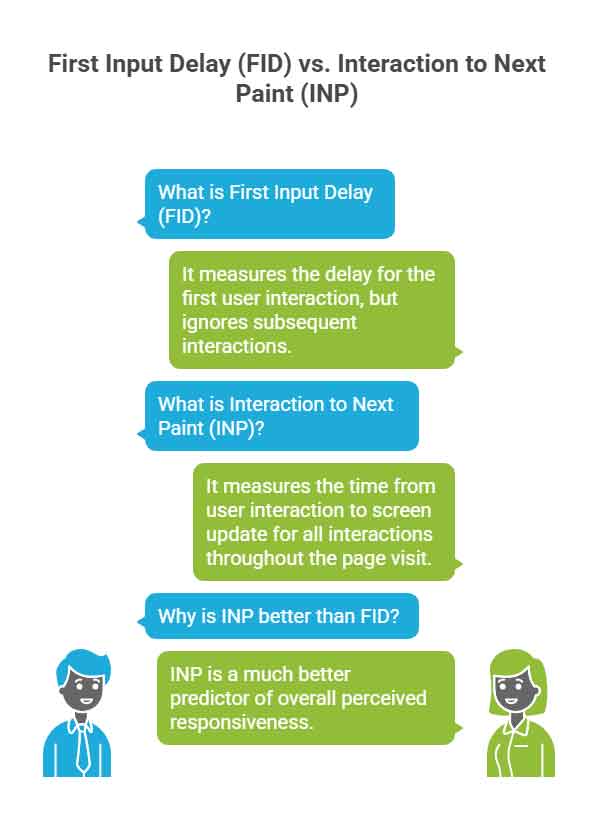
FID timed only the delay before the browser responded to the first click or tap on a page. It ignored everything after that, so a site could score well and still feel sluggish once you were using it. Interaction to Next Paint (INP) looks at every click, tap and key press during a visit, and measures how long each one takes to show a result on screen. Google's Chrome team explains that INP predicts how responsive a page feels better than FID did. A poor INP shows up as laggy buttons and menus that stutter open.
The aim behind the change is easy to follow. Google wants to send people to pages that are satisfying to use. I treat this as part of any successful SEO strategy, and I do not hand it off as a separate technical job.
Targets to aim for
| Metric | What it measures | Google's target | Where to look |
|---|---|---|---|
| LCP | Time to load the main content | Under 2.5 seconds | Hero images, web fonts and server response times |
| INP | Response time for every interaction | Under 200 milliseconds | JavaScript, long tasks and code that blocks the main thread |
| CLS | Unexpected layout movement | Under 0.1 | Image and video dimensions, space reserved for adverts, content injected above existing content |
What this means for a site owner
The new metric is mostly affected by how efficiently the browser runs JavaScript, so excessive or badly written scripts are now the biggest problem. Audit your third-party scripts and tidy your own code. Break up long tasks so they do not block the main thread. Because INP counts the whole visit, your contact page and checkout matter as much as your homepage.
You cannot guess your way to a good score. Measure it. PageSpeed Insights gives a quick audit, and the Chrome User Experience Report shows real-world field data. Lighthouse in Chrome DevTools gives detailed debugging guidance. Under 200 milliseconds is a tight target, which is a reason to think about performance at the start of a project. If page speed is your main worry, see strategies for faster webpage loading.
I must mention what I think is a weakness of web vitals within Search Console. It may seem obvious, but you need significant traffic before you gain any metrics to work on. To get that traffic you must already be doing something good. For a small site it is more about fine tuning your processes to match your visitors better. The basics need to be in place first, so that there is enough traffic for the data to register.
EXAMPLE NEEDED FROM MARK: a site of yours that had web vitals data in Search Console. Say what the report showed, what you changed on the page or in the code, and what the report showed afterwards.
Quick exits and abandoned baskets are the footprints frustration leaves behind, and Google reads them. A site that responds instantly and doesn't shift when an advert loads is a good one to run, whatever the ranking effect.